Good lighting can improve webcam video more dramatically than upgrading the camera itself. A capable webcam still has to work with the light available, and poorly lit rooms often produce grainy images, washed-out skin tones, distracting shadows, or aggressive automatic exposure adjustments.
The Logitech Litra Glow was designed as a compact solution to that problem. Instead of requiring a large ring light, floor stand, or dedicated studio setup, it mounts directly to a monitor or laptop and provides adjustable, diffused front lighting powered through USB.
That simplicity remains its biggest attraction in 2026. The Litra Glow offers up to 250 lumens of output, adjustable color temperature from 2700K to 6500K, a CRI rating of 93, physical controls, Logitech software integration, and a highly adjustable monitor mount.
It is not the newest or most powerful creator light available, however. Newer competitors can deliver substantially more brightness, wireless control, and greater positioning flexibility.
For this review, Best Marshall analyzed Logitech’s official specifications and support documentation, current product positioning, competing lights, independent professional evaluations, and recurring patterns in publicly available customer feedback. Best Marshall did not physically test, install, or use the Logitech Litra Glow.
About the Logitech Litra Glow
The Logitech Litra Glow is a compact LED light designed primarily for streaming, video calls, online presentations, and desktop content creation.
Logitech launched it as part of its creator-focused product lineup, positioning the light as a smaller and simpler alternative to traditional ring lights and larger studio key lights.
Its design is centered around Logitech’s TrueSoft lighting system. According to the manufacturer, TrueSoft combines full-spectrum LEDs, precision optics, and a frameless diffuser to produce softer and more color-accurate light while reducing harsh shadows and concentrated hot spots.
The Litra Glow is particularly distinctive because of its mounting system.
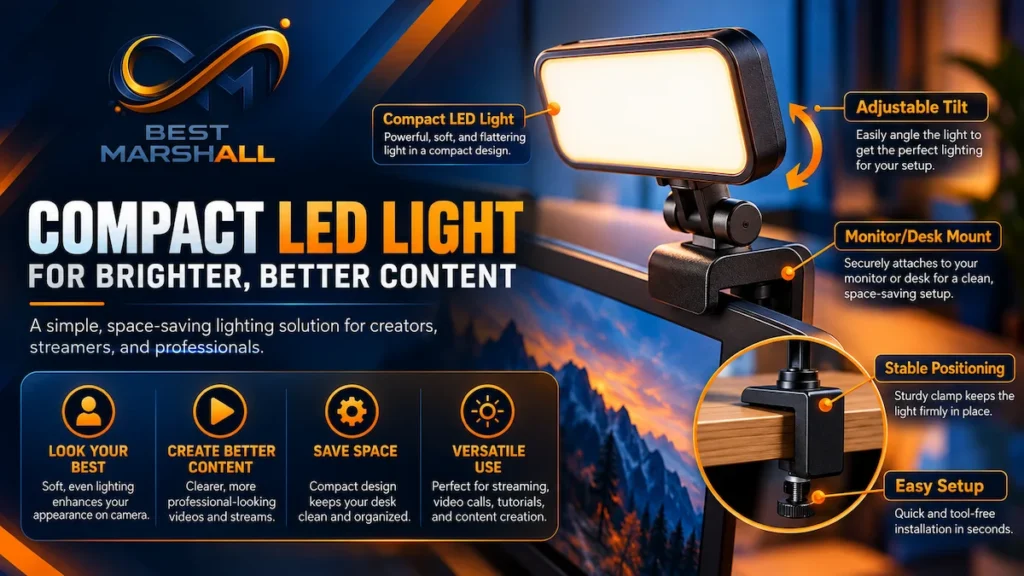
Rather than requiring a tripod or separate desk stand, the supplied mount sits over the top edge of a monitor or laptop display. It can extend vertically and horizontally, while the light itself can rotate to help users position illumination more precisely.
The mount can also be removed, revealing a standard 1/4″-20 thread for use with compatible tripods and other mounting hardware.
This makes the Litra Glow particularly relevant for:
- remote workers who spend significant time on video calls;
- streamers with limited desk space;
- YouTube creators working from compact setups;
- students attending online classes;
- creators who travel with their equipment;
- users who want better webcam lighting without building a studio.
The product is still part of Logitech’s official lighting lineup in 2026, alongside the larger Litra Beam and Litra Beam LX.
Logitech Litra Glow Technical Specifications
| Specification | Logitech Litra Glow |
|---|---|
| Product type | LED streaming and webcam light |
| Maximum output | 250 lumens |
| Color temperature | 2700K–6500K |
| Color Rendering Index | 93 CRI |
| Lighting technology | Logitech TrueSoft |
| Lens | Precision Sculpted Optics Lens |
| Diffuser | Proprietary frameless diffuser |
| Power | USB |
| Connection cable | USB-C to USB-A |
| Cable length | 4.92 ft / 1.5 m |
| Software control | Logitech G HUB |
| Additional Logitech software support | Logi Options+ |
| Physical controls | Power, brightness, color temperature |
| Light dimensions | 3.56 x 3.56 x 1.08 in |
| Light weight without mount | 3.49 oz / 99 g |
| Weight with mount | 6.24 oz / 177 g |
| Vertical mount adjustment | Approximately 4 in |
| Horizontal extension | Approximately 2 in |
| Light rotation | 360 degrees |
| Tripod compatibility | Standard 1/4″-20 thread |
| Warranty | One-year limited hardware warranty |
| Original U.S. list price | $69.99 |
What the Specifications Mean in Practice
The 250-lumen output immediately establishes what kind of product this is.
Litra Glow is not intended to illuminate an entire room or replace a large studio softbox. Its output is optimized for relatively close desktop use, where the light is positioned near the user’s face and webcam.
That distinction matters.
At normal desk distances, 250 lumens can be enough to give a webcam a better-lit subject to work with. At greater distances—or in a completely dark room where one light must illuminate a much larger area—the output becomes considerably more limiting.
The 2700K to 6500K color-temperature range provides useful flexibility. Lower Kelvin settings produce warmer light, while higher values create a cooler appearance. Matching the light approximately to the room’s existing lighting can help avoid an unnatural mixture of warm and cool tones.
A CRI of 93 indicates relatively strong color rendering. CRI, or Color Rendering Index, measures how naturally colors appear under a light compared with a reference source. For video calls and content creation, accurate skin tones are generally more valuable than maximum raw brightness alone.
Real-World Performance and User Experience: Research Analysis
Design and Monitor Mount
The monitor mount is arguably one of the Litra Glow’s most important features.
It eliminates much of the equipment normally associated with creator lighting. There is no large floor tripod, clamp arm, or wide circular ring light occupying space around the monitor.
Logitech’s published specifications indicate that the mount provides roughly four inches of vertical telescoping adjustment and around two inches of horizontal extension. The head can also rotate 360 degrees.
This gives users several ways to modify the angle rather than simply placing the light directly above a webcam.
For someone using a relatively small desk, this design can be especially useful because the lighting hardware consumes almost no additional desk surface.
The light itself is also removable from the included mount and uses a standard 1/4″-20 mounting thread. That expands its usefulness beyond the supplied monitor configuration, since many photography and video accessories use the same standard.
Independent reviews have consistently identified the mounting system and compact dimensions as major strengths of the design.
Light Quality and Diffusion
Raw brightness is only one component of video lighting.
A small LED light without adequate diffusion can produce hard shadows, bright reflections on skin, and concentrated highlights. Logitech attempts to avoid this with its frameless diffuser and precision optics.
The manufacturer describes the resulting output as broad, soft, and designed to reduce harsh shadows and visible hot spots.
Independent evaluations generally support the broader conclusion that the Litra Glow works best as a close-range facial light rather than a general-purpose room light. Reviewers have repeatedly described the output as effective for webcams, conference calls, presentations, and close desktop video.
That positioning makes sense given the specifications.
At 250 lumens, the Litra Glow cannot compete with larger key lights on maximum illumination. But because it sits relatively close to the subject and uses diffusion to spread the light, it does not necessarily need extremely high output for its intended use.
Brightness Control
Users can adjust brightness using physical controls located on the light.
This is an important practical advantage because the Litra Glow does not require software simply to perform basic adjustments.
Higher output may help compensate for dark rooms or bright displays, while lower levels can provide subtle fill lighting in rooms that already have reasonable ambient illumination.
Independent reviews generally found the maximum brightness sufficient for close webcam use, although the same evaluations also emphasize the limitations created by the light’s compact size.
This is ultimately a personal-lighting product, not a studio floodlight.
Color Temperature Control
The 2700K–6500K adjustment range covers most conventional warm-to-cool white lighting situations.
A lower setting can better match warm household lamps, while neutral values around daylight ranges may work better in offices or rooms illuminated by windows. Cooler settings can also be useful when matching other daylight-balanced video lights.
Having adjustable color temperature is especially useful when the Litra Glow is not the only light source in the room.
A fixed-color webcam light can create odd-looking skin tones when the rest of the environment uses a dramatically different color temperature. The Litra Glow gives users considerably more control over that balance.
G HUB and Software Control
The light can operate entirely through its onboard controls, but Logitech also supports software-based control.
Logitech G HUB allows users to adjust:
- power;
- brightness;
- color temperature;
- lighting presets;
- custom presets;
- compatible G Key assignments.
Logitech’s current support documentation also lists Litra Glow among supported lighting devices in Logi Options+, including brightness, temperature, application-specific settings, and presets.
Software control is not essential, but it can improve convenience.
For example, someone beginning a video call can change lighting without reaching behind the monitor. Users who already own compatible Logitech peripherals may also appreciate keeping multiple devices inside the same software ecosystem.
The trade-off is that software adds another potential point of friction. Public customer feedback includes occasional reports of inconsistent or quirky software behavior, even though the hardware itself is generally considered straightforward.
For users who prefer simplicity, the physical controls mean those software frustrations can largely be avoided.
Portability
The Litra Glow is unusually portable for a creator light.
Without the mount, it weighs only about 3.5 ounces and measures approximately 3.6 inches square.
The mount folds into a much smaller footprint than a conventional light stand, making the overall system practical for people who move between a home office, workplace, school, or temporary recording space.
This is one area where the lower power output can actually become an advantage.
Larger and brighter creator lights usually require larger stands, more powerful adapters, or separate power supplies. Litra Glow can instead draw power over USB and travel alongside a laptop.
For creators who prioritize mobility over maximum illumination, that trade-off makes sense.
Build Quality and Durability
The Litra Glow uses a lightweight construction appropriate for a monitor-mounted accessory.
Independent evaluations have generally described the design as functional and lightweight rather than premium or heavily built. That is consistent with a product intended to hang from a monitor rather than sit on a heavy studio stand.
The mounting mechanism deserves more attention than the exterior material because it determines whether the light can be positioned effectively.
Its combination of telescoping adjustment, horizontal extension, rotation, and standard tripod threading makes the hardware more versatile than a basic clip-on webcam light.
Logitech provides a one-year limited hardware warranty.
Because Best Marshall did not physically handle or long-term test the product, no claim is made here regarding years of durability beyond what manufacturer documentation and publicly available user patterns support.
Benefits That Actually Matter
1. It Uses Almost No Desk Space
Traditional lighting setups can become surprisingly intrusive.
A ring light usually needs its own stand. Larger key lights may require desk clamps, floor stands, or articulated arms.
The Litra Glow mounts directly to a monitor, making it particularly attractive for compact desks.
2. Soft Diffusion Is More Useful Than Raw Brightness Alone
The product’s 250-lumen maximum is modest compared with newer lights, but the purpose-built diffuser makes the output more appropriate for close facial lighting.
For video calls and webcam streaming, evenly distributed illumination can matter more than simply pointing the brightest possible LED at the subject.
3. Color Temperature Is Highly Adjustable
The 2700K–6500K range allows the light to adapt to many existing lighting environments.
That makes it easier to create a natural-looking image instead of introducing a single fixed-color light into a room.
4. Physical Controls Keep the Product Simple
Software is optional for basic operation.
Users can control power, brightness, and color temperature directly from the device without opening an application.
5. Logitech Software Integration Adds Convenience
For buyers already using Logitech peripherals, G HUB and Logi Options+ support can provide centralized control and presets.
This can be especially useful for streamers who routinely switch between different lighting setups.
6. It Is Easy to Move Between Setups
Its low weight, folding mount, USB power, and compact dimensions give the Litra Glow a meaningful portability advantage over larger studio-style lights.
Cons and Limitations
1. 250 Lumens Is Modest by 2026 Standards
This is the most important limitation.
The Litra Glow remains useful for close desktop lighting, but newer products can provide substantially more light.
Elgato’s Key Light Neo, for example, is rated for up to 400 lumens with basic USB-A power, 700 lumens over higher-powered USB-C, and as much as 1000 lumens with an appropriate external power supply.
Buyers needing to illuminate a larger area or compensate for a particularly dark room may therefore find the Litra Glow underpowered.
2. No Wi-Fi or Wireless Lighting Control
The Litra Glow relies on USB for power and computer software for remote control.
Newer competitors such as the Key Light Neo add Wi-Fi control, giving users more flexibility across devices and setups.
For a single-computer desk this may not matter, but it does show the Litra Glow’s age.
3. The 1.5-Meter Cable Can Limit Placement
The included USB-C to USB-A cable is approximately 4.92 feet long.
Independent evaluations have identified the cable length as a possible limitation in larger desks or situations where the computer is located well below or away from the display.
4. Compact Lighting Can Still Feel Bright at Eye Level
Even diffused light can become uncomfortable if it is positioned very close to the eyes at high brightness.
Independent reviewers have noted that the small, concentrated front-facing design can be more noticeable during extended use than a much larger diffused panel placed farther away.
Reducing brightness or positioning the Litra Glow slightly off-axis may be more comfortable for some users.
Logitech Litra Glow vs. Elgato Key Light Neo
The Elgato Key Light Neo is one of the most relevant newer alternatives.
| Feature | Logitech Litra Glow | Elgato Key Light Neo |
|---|---|---|
| Maximum output | 250 lumens | Up to 1000 lumens |
| Basic USB output | 250 lumens | 400 lumens via USB-A |
| Color temperature | 2700K–6500K | 2900K–7000K |
| CRI | 93 | Greater than 94 |
| Monitor mount | Yes | Yes |
| Physical controls | Yes | Yes |
| Software control | Yes | Yes |
| Wi-Fi | No | Yes |
| USB-powered | Yes | Yes |
| Positioning | Compact monitor mount | Monitor mount |
| Best use | Compact personal lighting | More powerful desktop lighting |
The differences are substantial.
The Litra Glow has the advantage of simplicity and compactness. It is also well suited to users already invested in Logitech’s ecosystem.
The Key Light Neo offers considerably greater brightness and Wi-Fi connectivity, making it more versatile for users who need stronger illumination or more advanced wireless control.
However, Key Light Neo’s maximum 1000-lumen output requires an appropriate external power supply. When powered through lower-output USB connections, its brightness is reduced.
The decision therefore depends less on which product has the largest number and more on how the light will actually be used.
For straightforward webcam lighting on a small desk, 250 lumens may be sufficient.
For a darker room, larger workspace, or more ambitious creator setup, additional output becomes much more valuable.
Logitech Litra Glow vs. Logitech Litra Beam
The Litra Beam is the natural upgrade within Logitech’s own ecosystem.
It retains a 2700K–6500K color-temperature range and CRI 93 rating but increases maximum output to approximately 320 lumens. More importantly, its elongated light-bar design and separate desktop stand provide more positioning flexibility than the monitor-mounted Glow.
The Litra Beam is therefore more appropriate for buyers building a permanent creator setup.
The Litra Glow makes more sense when:
- portability is important;
- desk space is limited;
- monitor mounting is preferred;
- USB simplicity matters;
- the light is primarily for webcam framing.
The Litra Beam makes more sense when:
- the setup is permanent;
- more flexible positioning is required;
- a larger light source is preferred;
- greater output is useful;
- the buyer wants a more studio-like desktop lighting setup.
Who Is the Logitech Litra Glow For?
Recommended for
Remote workers:
It provides a compact way to improve lighting for Zoom, Teams, Google Meet, and other video-call platforms without adding a large lighting stand.
Streamers with small desks:
The monitor-mounted design keeps the work surface clear.
Beginning content creators:
It offers adjustable white lighting without requiring knowledge of a more complicated multi-light setup.
Hybrid workers and students:
Its compact dimensions make it easier to move between locations.
Existing Logitech users:
G HUB and Logi Options+ integration can fit naturally into an existing Logitech software ecosystem.
Creators who prioritize portability:
The small light and folding mount are considerably easier to travel with than full-size key lights.
Not Recommended for
Creators who need high-output studio lighting:
250 lumens limits its ability to illuminate larger scenes.
Users recording far from the light source:
Its design is optimized for close desktop use.
Buyers who want Wi-Fi control:
Newer competitors provide stronger wireless-control options.
Creators building more advanced multi-light studios:
A larger key light or softbox system offers greater flexibility and output.
Learn more about how to choose the right ring light.
What Buyers Are Saying
Publicly available customer feedback is broadly positive, especially around brightness for close desktop use, straightforward setup, mounting flexibility, and ease of adjustment.
Best Marshall does not use Amazon star ratings or Amazon review-count data in this analysis.
Commonly Praised
Brightness for webcam use:
Many users report that the light provides a noticeable improvement in face illumination during video calls and streaming when positioned near the monitor.
Ease of setup:
The monitor mount and USB-powered design are frequently described as straightforward.
Adjustability:
Users often appreciate being able to change both brightness and color temperature rather than relying on one fixed output.
Compact size:
The ability to improve lighting without dedicating significant desk space to a stand is a recurring advantage.
Mounting flexibility:
The telescoping mount, angle adjustment, and tripod threading give the product more flexibility than a basic clip-on light.
Common Criticism
Software behavior:
Some customer feedback describes Logitech’s companion software as occasionally inconsistent or unnecessarily complicated for what is fundamentally a simple lighting product.
Taken together, these customer-feedback patterns support the broader editorial assessment: the Litra Glow is particularly well suited to users who want simple, compact desktop lighting, while its software integration may not be equally valuable to everyone.
Where to Buy the Logitech Litra Glow
The Logitech Litra Glow is available on Amazon.
Because Best Marshall is currently in its pre-affiliate content-building stage, no affiliate URL or Amazon Associates tracking link is included.
Pricing and availability can change, so verify that the Amazon listing corresponds to the Logitech Litra Glow Premium LED Streaming Light with TrueSoft before purchasing.
Check Current Price on Amazon
Final Verdict: Is the Logitech Litra Glow Worth It in 2026?
Based on Best Marshall’s research, the Logitech Litra Glow remains a useful compact lighting solution in 2026 for remote workers, streamers, and creators who prioritize simplicity, portability, and minimal desk clutter.
Its strongest advantages are not maximum brightness. They are the well-designed monitor mount, broad color-temperature adjustment, soft diffusion, physical controls, USB power, and Logitech software integration.
The main limitation is age. A 250-lumen maximum output is modest compared with newer competitors such as the Elgato Key Light Neo, which offers substantially higher potential brightness and Wi-Fi control.
See also: best ring lights in 2026.
Strengths
- Compact monitor-mounted design
- Soft diffused front lighting
- 2700K–6500K color-temperature adjustment
- 93 CRI color rendering
- Physical and software controls
- Standard tripod compatibility
- Excellent portability
Limitations
- Only 250 lumens maximum output
- No Wi-Fi control
- Shorter cable may limit some setups
- Less suitable for large or very dark rooms
Is It Worth It?
Yes — for buyers who want a simple, compact webcam light rather than a full creator-lighting system.
The Litra Glow remains especially compelling for small desks, video calls, portable creator setups, and Logitech users who value software integration.
Buyers who need substantially more output, wireless control, or greater studio flexibility should consider a newer and more powerful alternative.
If the Logitech Litra Glow matches your priorities, check its current price and availability on Amazon before making your final decision.
Frequently Asked Questions About Logitech Litra Glow
Does the Logitech Litra Glow need G HUB to work?
No. The Litra Glow can be used without Logitech G HUB, and its onboard controls let you adjust essential lighting settings directly on the device. G HUB adds software-based control over brightness, color temperature, presets, and compatible G-key assignments. The software therefore improves convenience, but it is not necessary simply to turn on and use the light.
Do I need a Logitech webcam to use the Litra Glow?
No. The Litra Glow is a standalone light and does not require a Logitech webcam. It can illuminate you regardless of which camera you use. Logitech also offers a Windows G HUB feature that can link compatible Litra lights to camera activity, and that feature supports webcams, virtual cameras, capture cards, and connected SLR cameras rather than only Logitech cameras.
Can I power the Logitech Litra Glow with a wall charger or power bank?
Yes, but the available brightness may vary. Logitech lists power banks, USB power adapters, monitor USB ports, and USB hubs as possible power sources. For maximum brightness, Logitech recommends a USB 3.0 connection capable of supplying 5V/1A. G HUB control also requires the light to be connected to the computer or an appropriate Thunderbolt dock.
Can the Logitech Litra Glow be mounted on a tripod?
Yes. Removing the included monitor mount exposes a standard 1/4″-20 mounting thread, allowing the Litra Glow to attach to compatible tripods and other standard mounting hardware. This makes it more flexible than its monitor-mounted design initially suggests and can help creators position the light off-axis or farther from the display when a different lighting angle is preferable.
Is the Logitech Litra Glow powerful enough for full-body videos or lighting a room?
It is not primarily designed for those jobs. Logitech rates the Litra Glow at up to 250 lumens and describes its output as optimized for desktop streaming. That makes more sense for illuminating a person relatively close to a webcam or camera than for lighting a large room or full-body scene from a distance. Larger key lights are better suited to broader coverage.
Is the Logitech Litra Glow a good alternative to a ring light?
It can be for desk-based creators. The Litra Glow uses a compact rectangular diffused light rather than the circular design of a ring light, making it easy to mount above or around a monitor without surrounding the camera lens. Ring lights may offer broader coverage or a different facial-lighting effect, so the better format depends on your framing, available desk space, and preferred light placement.