Skip to content
Best Marshall

Best Marshall

Smart Reviews. Better Choices!

  • Smart Home
  • Desk Setup
  • Creator Gear
  • Home Office
  • Audio Setup
  • Gadgets
  • Buying Guides

Home - Desk Setup

Category: Desk Setup

Desk Setup ideas can completely transform the way you work, create, study, and stay organized. Explore carefully selected desk accessories, monitor arms, ergonomic gear, cable management solutions, desk lighting, keyboards, laptop stands, and productivity gadgets designed to build cleaner, smarter, and more efficient workspaces. Whether you’re creating a minimalist desk setup, upgrading a home office, or improving comfort for long work sessions, you’ll find practical recommendations, detailed reviews, and real-world comparisons tailored for modern productivity and tech-focused lifestyles.

What actually makes a desk setup more functional, comfortable, and visually clean? This section helps answer that with expert-curated buying guides, workspace inspiration, and setup optimization tips that balance aesthetics, ergonomics, and everyday usability. From compact desk organizers to premium workspace accessories and creator-friendly gear, discover products that improve focus, reduce clutter, and elevate your overall workflow without wasting money on unnecessary upgrades.

  • Desk Setup
1 week ago5 days ago

How High Should a Laptop Stand Be?

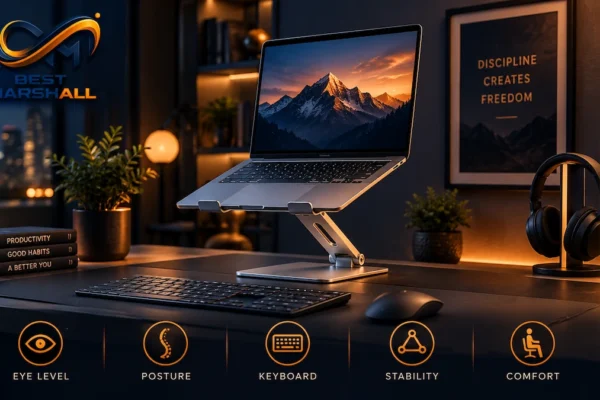
A laptop stand should be high enough to place the top of your laptop screen at approximately eye level or slightly below it while you sit or stand in a comfortable, neutral posture. That sounds simple, but it does not translate into one universal number such as 4, 6, or 8 inches. The correct height…
Read More
Best Marshall246 mins
  • Desk Setup
2 weeks ago5 days ago

5 Best Laptop Stands in 2026 for a Better Desk Setup

A good laptop stand can solve one of the most obvious problems with using a notebook as your primary computer: the screen and keyboard are attached to each other. Leave the laptop flat on a desk and the screen may sit too low. Raise it high enough for a more natural viewing position and the…

Read More
Best Marshall138 mins
  • Buying Guides
  • Desk Setup
2 weeks ago5 days ago

How to Choose a Laptop Stand: Complete Buying Guide for 2026

A laptop stand looks like a simple desk accessory, but choosing the wrong one can create new problems instead of improving your setup. A stand may raise the screen but wobble while you type, fit a 13-inch laptop but struggle with a heavier 17-inch model, or provide plenty of height while taking up more desk…

Read More
Best Marshall227 mins
  • Desk Setup
2 weeks ago2 weeks ago

USB-C Hub vs Docking Station: What’s the Difference?

A USB-C hub and a docking station can look surprisingly similar. Both connect to a laptop through one cable and add ports such as USB-A, HDMI, Ethernet, card readers, or USB-C. The difference is usually not the connector itself. It is the scale, bandwidth architecture, power system, display capability, and intended role of the device….

Read More
Best Marshall048 mins
  • Desk Setup
2 weeks ago2 weeks ago

6 Best USB-C Hubs in 2026: The Right Hub for Every Setup

A laptop with two or three USB-C ports can quickly run out of connections once you add a monitor, keyboard, mouse, external drive, Ethernet cable, memory cards, and charging. That makes USB-C hubs one of the most useful upgrades for a modern desk setup—but choosing the right one is less straightforward than counting ports. Two…

Read More
Best Marshall037 mins
  • Buying Guides
  • Desk Setup
3 weeks ago2 weeks ago

How to Choose a USB-C Hub: Complete Buying Guide for 2026

Modern laptops keep getting thinner, but that often means fewer ports. A laptop with two USB-C ports may need to connect to a monitor, keyboard, mouse, external SSD, Ethernet network, SD card, charger, and other desk accessories at the same time. That is where USB-C hubs become useful. A well-chosen hub can turn one laptop…

Read More
Best Marshall227 mins

Creator Gear

Creator Gear
Dynamic vs Condenser Microphone: Which Do You Need?
Creator Gear
6 Best USB Microphones in 2026 for Streaming, Podcasting and Recording
Creator Gear
Buying Guides
How to Choose a USB Microphone: Complete Buying Guide for Creators in 2026
Creator Gear
Logitech Litra Glow Review: Is It Worth It in 2026?

Gadgets

Gadgets
PLAUD Note Pro Technical Guide: Recording, Transcription, AI, Privacy, and Subscription Limits Explained 01
1 day ago1 day ago
02
Gadgets
PLAUD Note Pro Review: Is This AI Recorder Worth It in 2026?

Latest Reviews

  • Logitech Lift vs MX Vertical: Which Should You Buy in 2026?
  • PLAUD Note Pro Technical Guide: Recording, Transcription, AI, Privacy, and Subscription Limits Explained
  • PLAUD Note Pro Review: Is This AI Recorder Worth It in 2026?
  • Ring Doorbell vs Blink Doorbell: Which Should You Buy in 2026?
  • Dynamic vs Condenser Microphone: Which Do You Need?

Best Marshall

  • Smart Home
  • Desk Setup
  • Creator Gear
  • Home Office
  • Audio Setup
  • Gadgets
  • Buying Guides

Latest News

Home Office
Logitech Lift vs MX Vertical: Which Should You Buy in 2026?
Gadgets
PLAUD Note Pro Technical Guide: Recording, Transcription, AI, Privacy, and Subscription Limits Explained
Gadgets
PLAUD Note Pro Review: Is This AI Recorder Worth It in 2026?
Smart Home
Ring Doorbell vs Blink Doorbell: Which Should You Buy in 2026?

Legal & Privacy

  • About Us
  • Affiliate Disclosure
  • AI Content Policy
  • Contact
  • Cookie Policy
  • Copyright Policy
  • Disclaimer
  • How We Review Products
  • Privacy Policy
  • Review Policy
  • Terms of use
  • Transparency
Best Marshall 2026. Powered By BlazeThemes.
Manage Consent

To provide the best experiences, we use technologies such as cookies to store and/or access device information. Consent to these technologies will allow us to process data such as browsing behavior or unique IDs on this website. Not consenting or withdrawing consent may negatively affect certain features and functions.

Functional Always active
Storage or technical access is strictly necessary for the legitimate purpose of enabling the use of a specific service explicitly requested by the subscriber or user, or for the sole purpose of transmitting a communication over an electronic communications network.
Preferências
O armazenamento ou acesso técnico é necessário para o propósito legítimo de armazenar preferências que não são solicitadas pelo assinante ou usuário.
Statistics
O armazenamento ou acesso técnico que é usado exclusivamente para fins estatísticos. Technical storage or access that is used exclusively for anonymous statistical purposes. Without a subpoena, voluntary compliance by your Internet service provider, or additional third-party records, information stored or retrieved solely for this purpose generally cannot be used to identify you.
Marketing
Storage or technical access is required to create user profiles for sending advertising or to track the user across one or more websites for similar marketing purposes.
  • Manage options
  • Manage services
  • Manage {vendor_count} vendors
  • Read more about these purposes
Customize
  • {title}
  • {title}
  • {title}