
A USB microphone can be one of the simplest ways to improve the audio quality of podcasts, livestreams, YouTube videos, voiceovers, gaming streams, and video calls. Connect it directly to a computer or compatible mobile device, select it as the input, and you can start recording without buying a separate audio interface.
But USB microphones are not all designed for the same environment.
A sensitive condenser microphone can capture detailed vocals but may also reveal keyboard noise, room reflections, and air conditioning. A dynamic microphone can be more forgiving in an untreated room but may require closer placement and more gain. Some models include direct headphone monitoring, onboard DSP, automatic level control, or even XLR outputs for future studio expansion.
For this guide, Best Marshall analyzed current manufacturer specifications, microphone documentation, independent evaluations, creator workflows, and recurring patterns in publicly available user feedback.
Here is what matters before choosing a USB microphone.
What Is a USB Microphone?
A USB microphone combines several parts of a conventional recording chain into one device.
A traditional XLR setup usually requires:
microphone → audio interface or mixer → computer
A USB microphone effectively places much of that interface electronics inside the microphone itself:
USB microphone → computer
Inside the microphone, the analog signal captured by the capsule is amplified and converted into digital audio before being sent through USB.
That makes USB microphones particularly useful for:
- podcasters;
- streamers;
- YouTubers;
- voiceover creators;
- gamers;
- musicians recording demos;
- remote workers;
- online educators.
Their main appeal is convenience. You can obtain substantially more control over recording than a laptop or webcam microphone without immediately building a full studio.
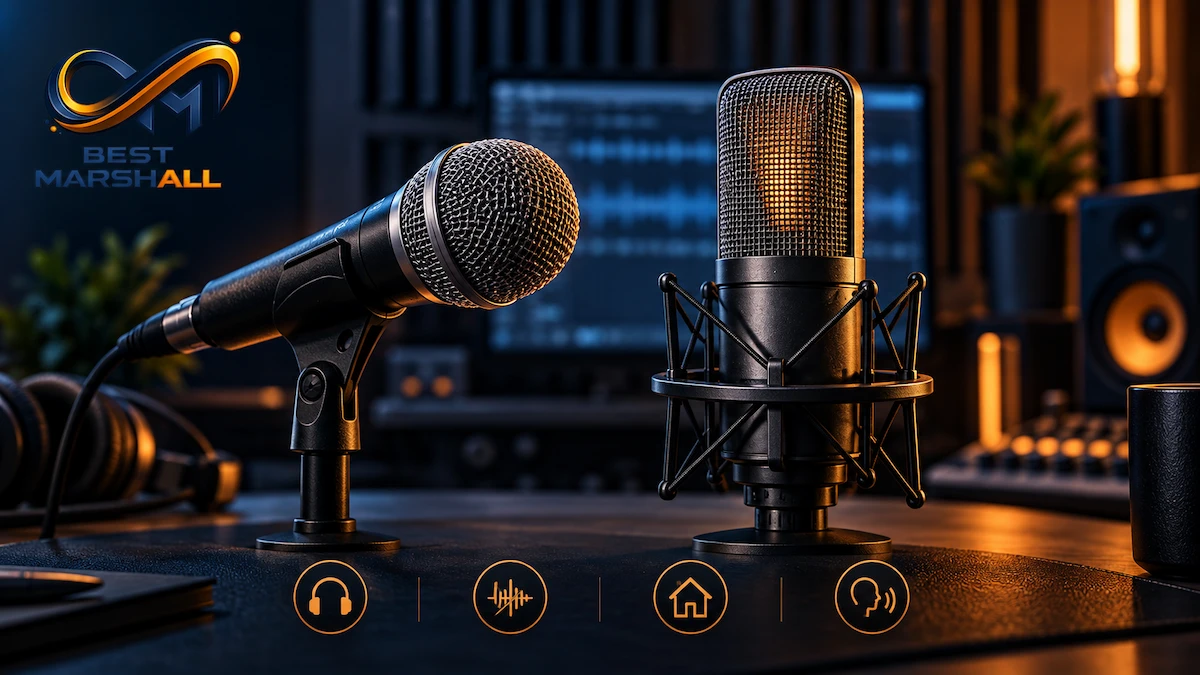
Dynamic vs. Condenser USB Microphones
This is one of the most important decisions.
Dynamic Microphones
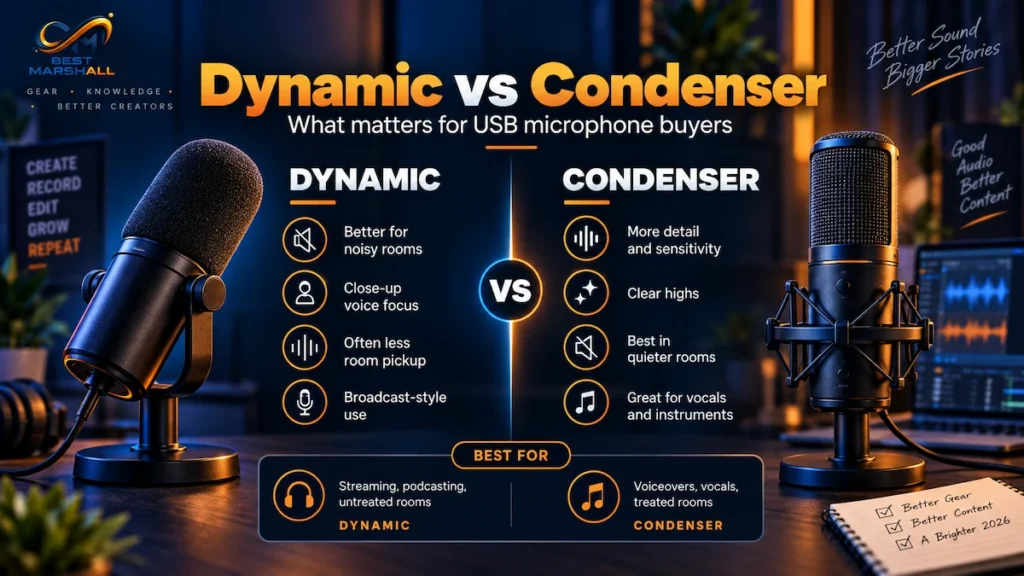
Dynamic microphones are commonly chosen for spoken-word content when the recording environment is not acoustically ideal.
Current creator-focused dynamic USB microphones frequently use directional cardioid patterns intended to emphasize the voice in front of the microphone while reducing sound from other directions.
They are particularly useful for:
- podcasting;
- streaming;
- voiceovers;
- untreated bedrooms;
- rooms with computer fans or other background noise.
The main requirement is placement.
Dynamic microphones often work best relatively close to the speaker’s mouth.
Condenser Microphones
Condenser microphones are generally more sensitive and can capture fine detail effectively.
They can work especially well for:
- vocals;
- acoustic instruments;
- voice recording in controlled rooms;
- detailed studio-style content.
That additional sensitivity can also expose problems in the recording space.
Mechanical keyboards, wall reflections, fans, traffic, and other room sounds may become more noticeable.
Neither technology is universally better.
If you are still deciding which microphone type better fits your room and recording style, our dynamic vs condenser microphone guide explains the key differences in more detail.
For many creators recording spoken voice in ordinary rooms, a directional dynamic microphone can be easier to manage. A condenser may make more sense when detail and versatility matter and the room is reasonably quiet.
Polar Patterns Matter
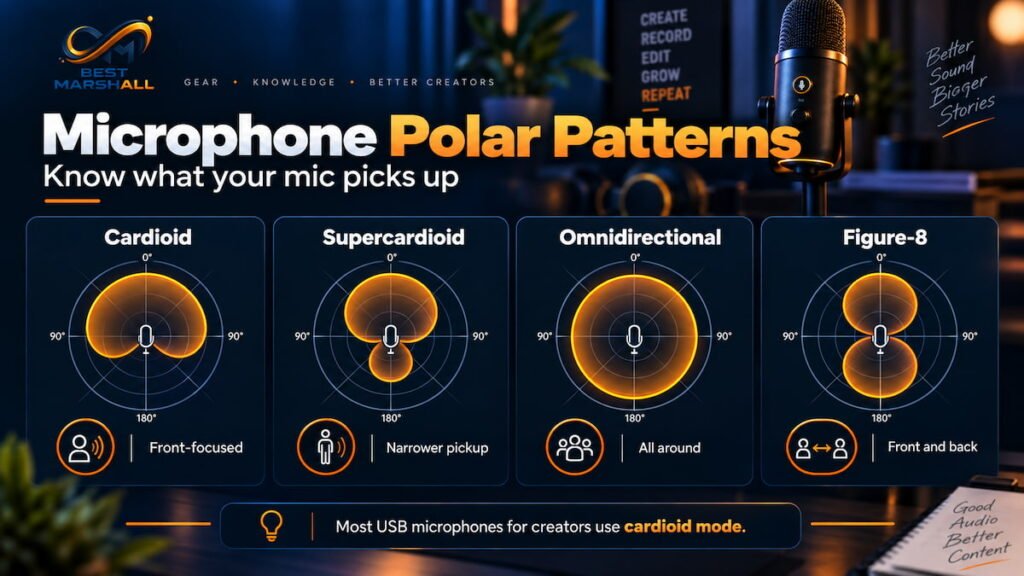
A microphone’s polar pattern describes the directions from which it captures sound.
Cardioid
Cardioid microphones are most sensitive from the front and reject more sound from the rear.
This is the most common choice for:
- solo podcasts;
- streaming;
- voiceovers;
- gaming;
- single-person video content.
Shure’s microphone documentation identifies cardioid as a widely used directional pattern because it helps reduce unwanted room and off-axis sound.
Omnidirectional
Omnidirectional microphones capture sound from all directions.
They can be useful for:
- roundtable conversations;
- room ambience;
- multiple people positioned around one microphone.
The trade-off is reduced isolation from background noise.
Bidirectional
A figure-eight or bidirectional pattern captures primarily from the front and rear.
This can work for two-person interviews where participants sit opposite each other.
Multiple-Pattern Microphones
Some USB microphones allow you to switch between several patterns.
That flexibility can be useful if one microphone needs to handle solo streaming one day and a two-person interview another.
If you only record yourself, however, paying extra for several polar patterns may provide little practical benefit.
USB Microphone Specifications That Actually Matter
| Specification | What to Consider |
|---|---|
| Microphone type | Dynamic or condenser |
| Polar pattern | Cardioid is usually practical for solo creators |
| Bit depth | 24-bit is common on modern creator microphones |
| Sample rate | 48kHz is sufficient for most video and spoken-word work |
| Headphone output | Useful for direct monitoring |
| Zero-latency monitoring | Lets you hear yourself without software delay |
| Gain control | Convenient for adjusting input level |
| Mute control | Valuable during livestreams and calls |
| USB connection | USB-C is increasingly common |
| XLR output | Useful for future studio expansion |
| DSP | May provide EQ, compression, limiting, denoising, or auto gain |
| Mounting support | Check compatibility with desk stands and boom arms |
| Pop filtering | Helps control plosive sounds such as P and B |
Do not choose a microphone solely because it advertises the highest sample rate.
Current USB microphones range from straightforward 24-bit/48kHz models to products supporting 24-bit/96kHz or even 192kHz.
For podcasts, streaming, and online video, 24-bit/48kHz is already a very capable recording format.
Higher numbers do not automatically produce better voice recordings. Capsule quality, placement, room acoustics, gain structure, and microphone technique can matter far more.
Headphone Monitoring Is Worth Having
A headphone jack on the microphone can be more useful than it appears.
Many good USB microphones support zero-latency monitoring.
Instead of sending your voice into the computer and waiting for software to return it to your headphones, the microphone sends the signal directly to the headphone output.
This prevents the distracting delay that can occur when hearing your own voice slightly after you speak.
Current models from manufacturers such as RØDE, Shure, Elgato, and Audio-Technica demonstrate how common direct monitoring has become in creator-oriented USB microphones.
Some microphones also provide a mix control that lets you balance:
- your microphone;
- computer audio.
This can be especially valuable for streaming, podcast recording, or vocal performance.
Gain Control and Audio Levels
Gain determines how strongly the microphone signal is amplified before recording.
Too little gain can produce a weak recording.
Too much can cause clipping or make room noise unnecessarily prominent.
Onboard gain controls are useful because they allow quick adjustment without opening software.
Some newer USB microphones go further with automatic gain systems. For example, current creator microphones may analyze voice level and microphone distance to help maintain a more consistent signal.
Automatic systems can simplify setup, but manual gain remains useful for creators who want predictable control.
When recording, leave enough headroom for louder words rather than trying to push every sentence close to maximum level.
USB-C, XLR, and Future Upgrades
Many modern microphones now use USB-C.
But the connector alone does not determine recording quality.
More important is what the microphone supports.
Some creator microphones include both:
- USB-C;
- XLR.
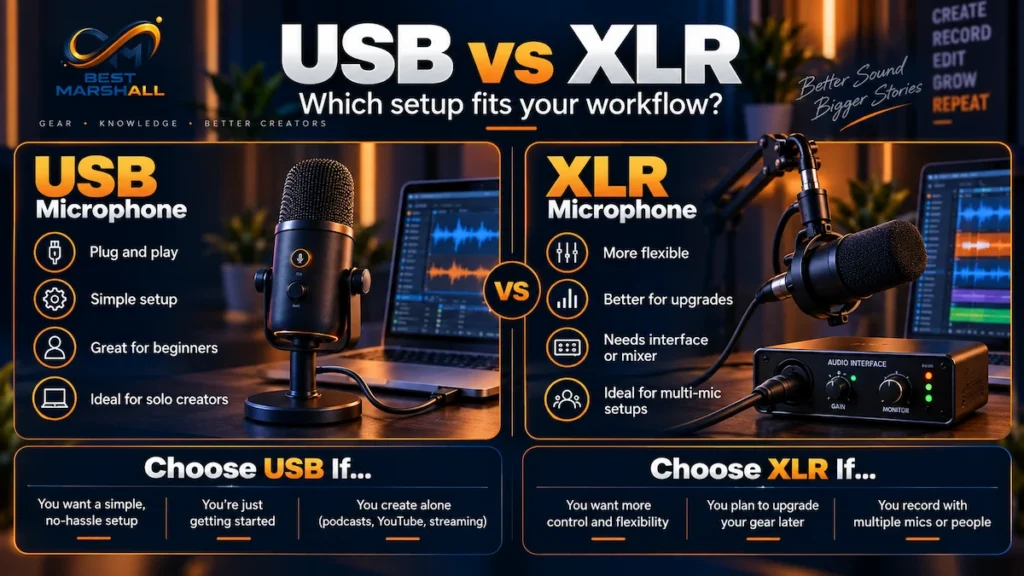
These hybrid models can be particularly valuable for creators who are starting with a simple USB setup but may eventually move to:
- an audio interface;
- mixer;
- multi-microphone podcast setup;
- studio equipment.
With a hybrid microphone, the same mic can remain useful as the recording setup evolves.
If you know you will never need an audio interface, USB-only can be simpler and less expensive.
Onboard DSP and Software
USB microphones increasingly include digital signal processing.
Depending on the model, software or onboard processing may provide:
- EQ;
- compression;
- limiter;
- high-pass filter;
- noise reduction;
- automatic gain;
- de-essing;
- pop reduction;
- routing and mixing.
These features can reduce the amount of processing needed later.
They are especially useful for livestreaming because live audio cannot always be repaired in post-production.
However, software should not compensate for poor microphone placement.
Getting the microphone closer to the voice and reducing unwanted room noise at the source often produces better results than aggressive digital noise reduction.
How to Position a USB Microphone
Microphone placement can make a bigger difference than many specification upgrades.
A practical spoken-word setup is:
- Place the microphone reasonably close to your mouth.
- Speak toward the microphone’s correct pickup side or end.
- Keep it slightly off-axis if plosives are a problem.
- Set gain so normal speech remains below clipping.
- Use headphones to check background noise.
- Add a pop filter or windscreen if needed.
- Keep the microphone away from keyboard vibration and desk impacts.
- Use a boom arm or shock mount when mechanical noise is a recurring problem.
Always check the manufacturer’s addressing instructions.
Some microphones are side-address, while others are end-address.
Speaking into the wrong side can significantly affect recording quality.
Boom Arms, Shock Mounts, and Pop Filters
Accessories can have a meaningful impact.
Boom Arm
A boom arm makes it easier to position the microphone close to your mouth while keeping desk space clear.
It can also move the microphone farther from keyboard noise.
Shock Mount
A shock mount helps isolate the microphone from mechanical vibrations transferred through the desk or stand.
Pop Filter
Plosive consonants such as P and B produce bursts of air that can overload the microphone capsule.
A pop filter or effective internal filtering can reduce these sounds.
Some modern USB microphones include digital or physical pop-control systems, but creators with strong plosives may still benefit from proper microphone positioning.
Main Benefits of a USB Microphone
Simple setup: No separate audio interface is required.
Improved voice capture: A dedicated microphone can provide substantially better placement and control than a built-in laptop mic.
Direct monitoring: Many models support headphones with zero-latency monitoring.
Creator-focused controls: Gain, mute, headphone level, and monitoring controls may be accessible directly on the microphone.
Software integration: DSP and routing tools can simplify streaming and recording.
Upgrade flexibility: Hybrid USB/XLR models provide a path toward more advanced equipment later.
Things to Consider Before Buying
Your Room Matters
A highly sensitive microphone will not remove poor room acoustics.
If your room has hard walls, significant echo, traffic, or loud computer fans, microphone type and placement become especially important.
Desk Stands Can Pick Up Vibration
Typing, mouse movements, and desk impacts can travel into a microphone through a basic desktop stand.
A boom arm or shock mount can help when this becomes a problem.
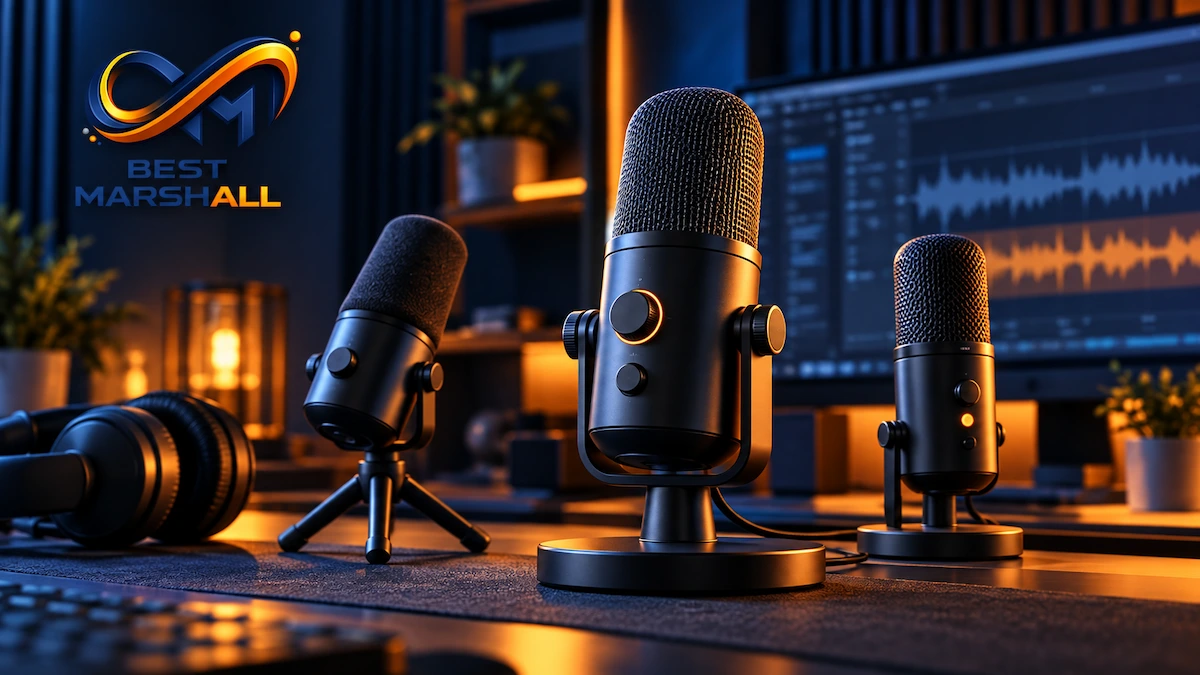
Multiple USB Microphones Can Be Complicated
A single USB microphone is convenient.
Recording several USB microphones simultaneously can introduce routing and synchronization challenges depending on the operating system and recording software.
For multi-person podcasts, an XLR interface may provide a more scalable solution.
Warranty and Support
Before purchasing, check:
- warranty duration;
- U.S. manufacturer support;
- replacement cable availability;
- firmware updates;
- software compatibility;
- operating-system support;
- availability of mounting accessories.
Warranty terms vary substantially between manufacturers. Some professional-audio companies offer longer coverage after product registration, while other models provide shorter standard warranties.
If buying through Amazon, verify the exact microphone model, seller, included accessories, warranty information, and current return terms before purchasing.
What Are Users Saying About USB Microphones?
Recurring public feedback commonly praises:
- plug-and-play setup;
- clearer voice quality than built-in computer microphones;
- convenient mute and gain controls;
- direct headphone monitoring;
- software-based audio processing.
Common complaints include:
- picking up keyboards or room noise;
- desk vibration;
- gain that is difficult to set correctly;
- software dependence;
- stands that position the microphone too far from the mouth.
Independent reviews reinforce an important pattern: microphone placement and room conditions can materially change results even when the hardware itself is capable.
Is a USB Microphone Worth Buying?
Consider One If You:
- stream;
- podcast;
- create YouTube videos;
- record voiceovers;
- teach online;
- make frequent video calls;
- want better sound without buying an audio interface.
Consider an XLR Setup Instead If You:
- need several microphones simultaneously;
- want interchangeable preamps or interfaces;
- are building a professional studio;
- expect extensive hardware routing requirements.
Final Buying Advice
Start with the recording environment, not the specification sheet.
For most solo creators, prioritize:
- the right microphone type for your room;
- a cardioid pickup pattern;
- good gain control;
- direct headphone monitoring;
- appropriate positioning and mounting;
- reliable USB compatibility.
A creator recording speech in an untreated room may benefit more from a directional dynamic microphone placed close to the mouth than from an ultra-sensitive condenser advertising extremely high sample rates.
A musician or creator working in a controlled room may prefer the detail and versatility of a condenser.
And if you expect your setup to grow, a USB/XLR hybrid microphone can provide a useful upgrade path without forcing you to replace the microphone later.
Once you know which microphone type, features, and connectivity options fit your workflow, compare our picks for the best USB microphones in 2026.
If a USB microphone matches your recording environment, workflow, and future plans, check its current pricing and availability on Amazon before making your final decision.
Examples of excellent microphones that use different technologies:
- DYNAMIC: FIFINE AM8
- CONDENSER: Logitech/Blue Yeti USB
Frequently Asked Questions
Do I need an audio interface with a USB microphone?
No. A USB microphone already includes the hardware needed to convert its audio signal into digital data for a computer or compatible mobile device. That simplicity is one of its main advantages. An external audio interface becomes relevant if you later move to XLR microphones, need multiple microphone inputs, or want a more expandable recording setup.
Can I use a USB microphone with a phone or tablet?
Often, yes, but compatibility depends on the microphone, mobile device, operating system, cable, and available power. Many modern USB-C microphones can connect directly to compatible phones and tablets, while other setups may require an adapter or additional power. Always verify the manufacturer’s mobile compatibility before buying if smartphone or tablet recording is part of your workflow.
Is a headphone jack important on a USB microphone?
It can be very useful for recording and streaming. A headphone output with direct monitoring lets you hear your microphone signal without relying on the delayed audio returning from recording software. This can make it easier to monitor your voice naturally and catch problems while recording. If you rarely monitor yourself live, however, a built-in headphone output may be less important.
Will an expensive USB microphone sound good in an untreated room?
Not necessarily. Room acoustics, microphone placement, speaking distance, background noise, and microphone type can affect the recording as much as the microphone itself. A more expensive microphone may capture greater detail, including unwanted reflections and room noise. In a difficult recording space, improving placement and reducing unwanted sound can sometimes matter more than moving to a higher-priced model.
What happens if the gain is set too high on a USB microphone?
The recording can clip and become distorted. Gain controls how strongly the microphone signal is amplified before recording, so setting it too high can push loud peaks beyond the available level. Lowering gain and adjusting speaking distance usually provides a cleaner signal than recording distorted audio and trying to repair it later. Our microphone distance and room-noise guide covers positioning in more detail.
Can I use two USB microphones on the same computer?
Sometimes, but it is usually less straightforward than using multiple XLR microphones through one audio interface. Whether two USB microphones can record simultaneously depends on the operating system, recording software, and how the devices are configured. For a regular two-person podcast or multi-microphone setup, an XLR system with a multi-input interface often provides a more predictable path for expansion.
Should I buy a USB microphone or start with XLR instead?
Choose USB if simplicity, portability, and minimal setup are your priorities. Consider XLR if you expect to add multiple microphones, replace individual components, or build a more expandable recording chain over time. Neither connection automatically determines sound quality. For many solo creators, a good USB microphone can remain practical for years without requiring an interface or additional audio hardware.
2 thoughts on “How to Choose a USB Microphone: Complete Buying Guide for Creators in 2026”