
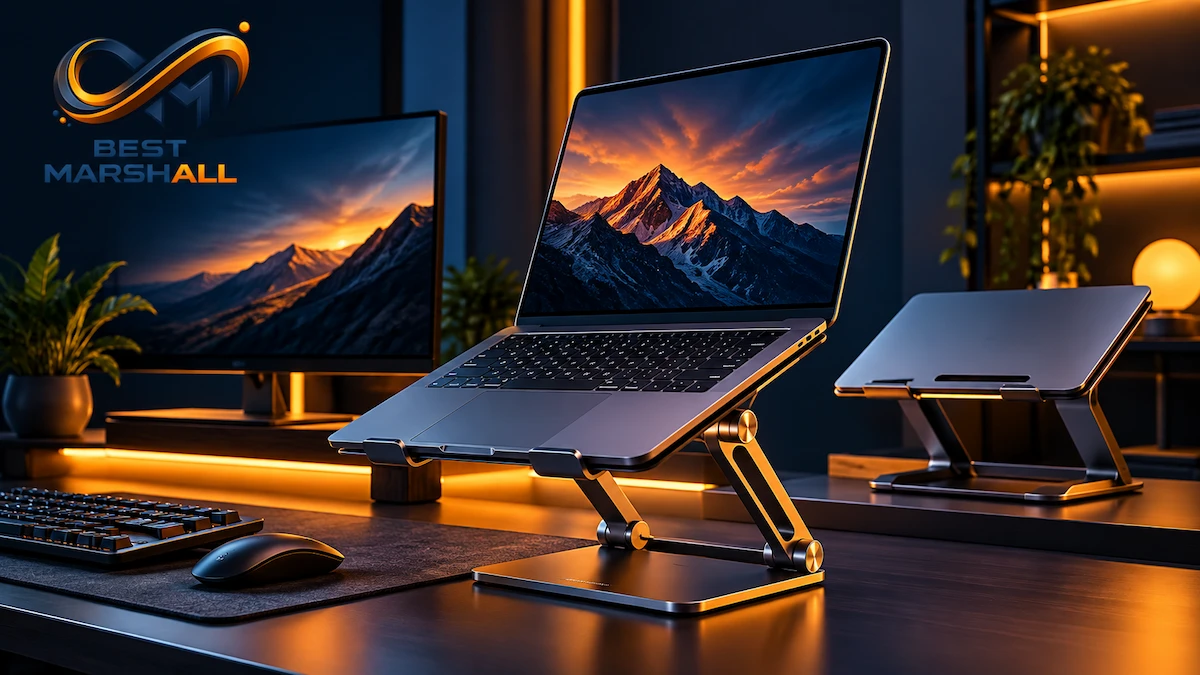
A good laptop stand can solve one of the most obvious problems with using a notebook as your primary computer: the screen and keyboard are attached to each other.
Leave the laptop flat on a desk and the screen may sit too low. Raise it high enough for a more natural viewing position and the built-in keyboard becomes less practical for prolonged typing. That is why the right stand is not simply the model that lifts a laptop the highest—it needs to fit your laptop, desk, work style, and whether you use an external keyboard and mouse.
The five products in this guide take noticeably different approaches. Some prioritize rigid aluminum construction for a permanent workstation. Others fold for hybrid work. One reaches as high as 20 inches, while another weighs only about 6 ounces.
For this guide, Best Marshall analyzed official manufacturer specifications, current product documentation, independent evaluations, market positioning, and recurring patterns in publicly available customer feedback. Best Marshall did not physically test these products.
The result is a shortlist designed around actual use cases rather than five versions of the same recommendation.
1. Lamicall Adjustable Laptop Stand — Best Balanced Adjustable Stand for Everyday Desks
The Lamicall Adjustable Laptop Stand occupies the middle ground that many home-office users are actually looking for.
Unlike a fixed-height riser, it allows users to alter the laptop’s position and viewing angle. Unlike extremely lightweight travel stands, it uses a broader aluminum structure intended to remain on a desk without feeling temporary.
Lamicall’s current LN09 Adjustable Laptop Desk Stand supports laptops from 10 to 17.3 inches and provides up to 90 degrees of positioning adjustment. Its aluminum construction and foldable design make it useful for both permanent workstations and users who occasionally need to put the stand away.
This combination is why the Lamicall has the strongest general-purpose case among the five. It does not reach the extreme height of the Lifelong Upryze or approach the portability of the Roost V3, but it balances adjustability, compatibility, stability, and cost more evenly.
Technical Specifications
- Laptop compatibility: 10 to 17.3 inches — wide enough for compact ultrabooks, mainstream notebooks, and many larger 16- and 17-inch laptops.
- Adjustment: Up to 90 degrees according to Lamicall — allows the viewing angle and laptop position to be changed rather than locking users into one fixed configuration.
- Material: Aluminum construction — provides greater rigidity than many lightweight plastic travel stands.
- Foldable design — useful for storage or occasional travel, although it is not as compact as the Roost V3.
- Open support structure — leaves substantial space around the underside of the laptop for airflow.
- Protective contact surfaces — padding helps reduce sliding and prevents direct aluminum-to-laptop contact.
Main Benefits
- Flexible screen positioning: The adjustable structure makes it easier to adapt the stand to different chairs, desks, and users.
- Broad laptop compatibility: Support for devices up to 17.3 inches makes it more versatile than stands optimized only for thin 13- or 14-inch notebooks.
- Better balance between portability and rigidity: It folds, but still uses a substantial desktop-style base.
- Useful for video calls: Raising the laptop can place the built-in webcam closer to eye level.
- Good match for external keyboards: Once the laptop is elevated, an external keyboard and mouse can remain at a more natural desk height.
Things to Consider
- The hinges are intentionally firm. Independent evaluations and user feedback commonly describe the adjustment mechanism as relatively stiff. That improves position holding but makes frequent one-handed adjustments less convenient.
- Portability is relative. It folds, but frequent travelers should not confuse it with an ultralight stand such as the Roost.
- Direct typing becomes less attractive as the laptop rises. Higher positions are better suited to an external keyboard and mouse.
Final Product Verdict
Best Marshall’s analysis suggests the Lamicall is the most balanced option here for buyers who want meaningful height and angle adjustment without moving into a specialized standing-height or ultralight travel stand. Its strongest use case is a home office or hybrid desk where adjustability matters more than minimum weight. Buyers who never change their workstation may prefer the simpler Rain Design mStand, while frequent travelers should consider the Roost V3.
2. Rain Design mStand — Best for a Permanent, Stable Desk Setup
The Rain Design mStand takes almost the opposite approach.
There are no adjustable hinges, telescoping arms, rotating mechanisms, or folding sections. It is made from a single solid piece of aluminum and raises the laptop to a fixed position.
That simplicity is its main strength.
Rain Design lists the stand at approximately 10 inches wide, 7.5 inches deep, and 5.9 inches high, with a weight of about 3 pounds. The large base and one-piece construction create a notably rigid platform, something independent evaluations have consistently highlighted.
The mStand is therefore best understood as desk furniture rather than a portable accessory.
Technical Specifications
- Construction: Single-piece aluminum — no adjustment hinges means fewer moving points where movement can develop.
- Height: Approximately 5.9 inches
- Width: Approximately 10 inches
- Depth: Approximately 7.5 inches
- Weight: Approximately 3 pounds — considerably heavier than travel-oriented alternatives.
- Laptop compatibility: Fits all current MacBooks and most conventional notebooks; Rain Design confirms compatibility with the 16-inch MacBook Pro.
- Cable opening: Approximately 2 inches — provides simple cable routing through the rear of the stand.
- Rubber padding: Prevents direct metal contact and improves grip.
- Space beneath the laptop: Can accommodate a keyboard when the workstation is not in use.
Main Benefits
- Exceptional structural simplicity: With no adjustable joints, there is little opportunity for a hinge to loosen or sag.
- Strong stability: The broad base and substantial weight favor permanent workstation use.
- Clean cable management: The rear opening is simple but practical.
- Desk-space efficiency: A keyboard can be stored beneath the elevated laptop.
- Passive airflow: The elevated, angled platform leaves more space around the computer than placing it directly on the desk.
Things to Consider
- Height is fixed. This is the defining trade-off. If 5.9 inches does not match your chair, desk, laptop, and body dimensions, the stand cannot compensate.
- Poor travel choice: At approximately 3 pounds and without a folding mechanism, the mStand is intended to stay put.
- External peripherals make more sense: The elevated fixed angle is primarily suited to desktop-style use with a separate keyboard and mouse.
Final Product Verdict
The Rain Design mStand is the strongest option in this group for someone who wants a stable, permanent laptop workstation and does not need height adjustment. Its one-piece aluminum construction solves a different problem than the more complex adjustable products: it prioritizes rigidity and longevity over flexibility. If several people share the desk or your ideal screen height changes frequently, the Lamicall or Upryze makes more sense.
3. Lifelong Upryze — Best for Maximum Height and Sit-to-Stand Flexibility
The Lifelong Upryze is the outlier in this comparison.
Most laptop stands lift a screen several inches. The Upryze can raise a laptop up to 20 inches, allowing it to move far beyond a normal seated riser.
Lifelong specifies compatibility with laptops from 10 to 17 inches, a support arm that extends to 13 inches, and 20 discrete positioning options. The aluminum structure also folds for storage.
That height range makes the Upryze particularly relevant to users who alternate between seated and standing work but do not want a complete desk converter.
Technical Specifications
- Maximum height: Up to 20 inches — significantly more vertical range than the other stands in this list.
- Laptop compatibility: 10 to 17 inches
- Arm extension: Up to 13 inches
- Adjustment: 20 discrete arm-length positions
- Material: Aluminum
- Foldable construction
- Open-frame platform: Allows air movement beneath the laptop.
- Current manufacturer warranty: 1 year
- Current manufacturer return period: 90 days
Main Benefits
- True high-rise capability: It can position a laptop much higher than ordinary desk risers.
- Useful for sit-to-stand workflows: Particularly valuable when the same laptop needs to move between seated and standing positions.
- Wide adjustment range: The numerous positions provide more fine-tuning than a simple fixed-height stand.
- Broad device support: Accommodates laptops from compact models through many 17-inch systems.
- Foldable despite its size: It can be stored more easily than a permanent standing-desk converter.
Things to Consider
- Higher price tier: Buyers who only need a five- or six-inch screen lift are paying for adjustment range they may never use.
- An external keyboard and mouse are effectively necessary at higher settings. Typing directly on a laptop raised toward standing height would create an impractical input position.
- Maximum extension magnifies movement. As with most tall articulated stands, direct typing at full height can introduce more movement than a heavy fixed platform.
- Not truly ultralight travel gear: Foldability helps, but this is much more substantial than the Roost.
Final Product Verdict
The Upryze makes the most sense for buyers who specifically want large vertical adjustment or a laptop-based sit-to-stand setup. Its 20-inch maximum lift gives it a capability the others cannot match. For a conventional seated desk, however, that capability may be unnecessary, and the Lamicall or Amazon Basics can achieve a simpler setup for less.
4. Amazon Basics Ergonomic Laptop Stand — Best Value for a Straightforward Adjustable Setup
The Amazon Basics Ergonomic Laptop Stand proves that an inexpensive adjustable stand does not necessarily need to feel disposable.
The current foldable aluminum version offers approximately 7 inches of height adjustment, an open ventilation-focused design, silicone contact pads, and an 11-pound-class load capacity depending on the specific revision.
Independent testing by WIRED in 2026 was notably positive about the model’s rigidity, describing it as unusually sturdy among inexpensive stands. The same evaluation also identified its main inconvenience: the hinges require substantial force to reposition.
That trade-off is reasonable for a stand designed to hold its position once configured.
Technical Specifications
Current Amazon Basics listings and revisions have shown small differences in published compatibility details. The current adjustable aluminum model evaluated here is generally specified with:
- Height adjustment: Up to approximately 7 inches
- Construction: Rust-resistant aluminum
- Load capacity: Approximately 11 to 11.2 pounds depending on revision
- Laptop compatibility: Common current documentation lists devices up to 15.6 inches; buyers should verify the exact Amazon listing because some revisions have been marketed differently
- Non-slip silicone pads
- Open ventilated design
- Foldable construction
- Approximate weight: 1.7 to 2 pounds depending on revision
The variation in current published specifications is a good reason to confirm the exact model number before purchasing rather than relying only on the product name.
Main Benefits
- Strong feature-to-cost relationship: Height adjustment, aluminum construction, ventilation, and foldability are available without moving into a higher price tier.
- Firm hinge tension: Independent testing indicates that the stand holds its position effectively once adjusted.
- Portable enough for occasional movement: It folds much flatter than the mStand.
- Useful airflow design: The open platform avoids covering much of the laptop’s underside.
- Silicone grip surfaces: Help prevent movement and protect the laptop’s finish.
Things to Consider
- Adjustment can require significant force. This is not ideal if you expect to change the stand height several times each day.
- Model/revision details need verification. Amazon Basics has used closely related listings with differences in advertised laptop-size compatibility.
- Heavier and bulkier than dedicated travel stands.
Final Product Verdict
From a value perspective, the Amazon Basics stand has the strongest case among these five. It gives buyers meaningful adjustability and sturdy aluminum construction without requiring premium pricing. The Lamicall provides a more polished general-purpose adjustable platform, while the Amazon Basics model makes more sense when keeping the setup economical is a higher priority.
5. Roost V3 Laptop Stand — Best for Travel and Hybrid Work
The Roost V3 is built around a completely different priority: portability.
According to Roost’s current specifications, the V3 weighs only 6 ounces and folds to approximately 1 × 1.5 × 13 inches.
Despite that low weight, it provides seven selectable height settings and lifts the laptop screen approximately 6.5 to 12.5 inches.
The design uses pivoting grips that adapt to the laptop’s front edge. Roost states that the stand can accommodate laptops whose front chassis edge is less than approximately 0.75 inch thick.
For people who work from hotels, coworking spaces, classrooms, coffee shops, or several offices, those specifications make the Roost difficult to replicate with a conventional aluminum riser.
Technical Specifications
- Weight: Approximately 6 oz / 178 g
- Folded dimensions: Approximately 1 × 1.5 × 13 inches
- Screen lift: Approximately 6.5 to 12.5 inches
- Height settings: 7
- Laptop fit: Compatible with most laptop designs with a front chassis edge under approximately 0.75 inch
- Pivoting grip system: Adjusts around the front edge of the laptop.
- Foldable travel design
- Current product-page guarantee: 90-day money-back guarantee
Main Benefits
- Exceptionally low carrying weight: It weighs a fraction of the aluminum desktop stands in this comparison.
- Serious screen elevation despite compact size: The 6.5-to-12.5-inch lift range is considerably greater than many fold-flat travel risers.
- Seven height positions: Provides meaningful ergonomic adjustment away from a permanent desk.
- Small folded profile: Easy to pack alongside a laptop.
- Useful for hybrid workers: It allows a more consistent elevated-screen setup across different work locations.
Things to Consider
- Price is high relative to the amount of material. The value comes from portability engineering rather than heavy aluminum construction.
- External keyboard and mouse strongly recommended: A laptop raised six or more inches is not positioned naturally for extended direct typing.
- Compatibility depends partly on front-edge geometry: Extremely thick or unusually shaped laptop chassis should be checked against Roost’s fitting requirements.
- Less planted than a three-pound fixed stand by design: Buyers who never move their workstation gain little from paying for ultralight portability.
Final Product Verdict
The Roost V3 is the clearest choice in this group for frequent travelers and hybrid workers who will actually carry their stand. Its 6-ounce weight and substantial screen lift give it a combination the heavier stands cannot match. For a stand that will remain on the same desk every day, however, the mStand, Lamicall, or Amazon Basics models provide stronger reasons to choose them.
Laptop Stands Compared: Which One Fits Your Desk Setup?
| Product | Adjustment | Laptop Compatibility | Portability | Best For | Main Strength | Main Limitation |
|---|---|---|---|---|---|---|
| Lamicall Adjustable Laptop Stand | Height/angle adjustable | 10–17.3 in | Moderate | Most adjustable desk setups | Balance of adjustability, build, and compatibility | Stiff hinge; heavier than travel stands |
| Rain Design mStand | Fixed | Most notebooks; 16-in MacBook Pro supported | Low | Permanent desk setups | One-piece aluminum stability | No height adjustment |
| Lifelong Upryze | Up to 20-in height; 20 positions | 10–17 in | Moderate | Sit-to-stand and high-screen setups | Exceptional height range | Higher price and larger structure |
| Amazon Basics Ergonomic Stand | Up to about 7-in adjustment | Verify exact revision; commonly up to 15.6 in | Moderate | Value-focused desks | Strong stability for the price | Very stiff adjustment |
| Roost V3 | 7 settings; 6.5–12.5-in lift | Most laptops meeting front-edge requirement | Excellent | Travel and hybrid work | 6-oz foldable design | Expensive for a desk-only setup |
There is no single specification that determines the best stand.
For a permanent workstation, the Rain Design mStand has the strongest stability case because its one-piece structure removes adjustable joints entirely.
For buyers who need everyday adjustability, the Lamicall is more flexible.
For a tall workstation or standing configuration, the Lifelong Upryze offers a height range the others cannot approach.
For value, Amazon Basics provides a strong combination of adjustability and rigidity.
And when carrying weight is the priority, the Roost V3 is in another category entirely.
How to Choose the Best Laptop Stand
1. Start With the Screen Height You Actually Need
The goal is not to maximize height.
The goal is to place the laptop display at a comfortable viewing level relative to your chair, desk, and body position.
For more guidance on screen position and ergonomics, see our guide to proper laptop stand height.
A fixed six-inch stand may work perfectly for one person and poorly for another.
If you are uncertain about your ideal position, an adjustable stand such as the Lamicall or Amazon Basics gives you more flexibility.
If you move between sitting and standing, the Upryze provides far more range.
2. Decide Whether You Will Use an External Keyboard and Mouse
The higher a laptop is elevated, the less practical its built-in keyboard becomes.
For prolonged work, the most functional arrangement is generally:
raised laptop + external keyboard + external mouse
This allows the display and input devices to be positioned independently.
The Roost V3 and Upryze especially make sense when external peripherals are part of the setup.
3. Prioritize Stability for a Permanent Desk
If the stand will never leave your desk, carrying weight is largely irrelevant.
A heavier base can actually be beneficial.
The mStand’s approximately three-pound one-piece structure gives it a major advantage in this situation.
Adjustable stands introduce mechanical joints, and those joints represent a trade-off between flexibility and absolute rigidity.
4. Prioritize Folded Weight and Size for Travel
“Foldable” does not automatically mean portable.
A two-pound aluminum stand that folds flat is easier to store, but you may still hesitate to carry it every day.
The Roost V3’s approximately 6-ounce weight is the meaningful distinction here.
The question for hybrid workers is not simply whether the stand folds—it is whether you will realistically put it in your bag every morning.
5. Check Laptop Size, Weight, and Chassis Shape
Screen size alone does not determine compatibility.
Two 16-inch laptops can differ significantly in:
- weight;
- thickness;
- front-edge design;
- ventilation position;
- port placement.
Heavy gaming laptops need more support than thin ultrabooks.
Roost users should pay particular attention to front-edge thickness, while buyers considering Amazon Basics should verify the exact current revision and listed size limit.
For a deeper breakdown of compatibility, adjustability, stability, ergonomics, and other buying criteria, see our complete guide on how to choose a laptop stand.
What About Laptop Cooling?
Laptop stands are frequently promoted as cooling accessories, but that claim needs context.
An open stand can prevent a desk surface from obstructing bottom vents and can increase free space around the chassis.
That may improve airflow conditions.
But a passive laptop stand is not the same thing as an active cooling pad.
How much thermal difference it makes depends on:
- the laptop’s cooling design;
- intake and exhaust locations;
- processor workload;
- room temperature;
- fan behavior.
Choose an open stand primarily for unobstructed ventilation rather than expecting dramatic temperature reductions.
Laptop Stands and Ergonomics: What They Can and Cannot Do
A stand can reposition the display.
It cannot by itself correct an entire workstation.
Chair height, desk height, viewing distance, keyboard position, mouse placement, and working habits all affect ergonomics.
Once a laptop is raised substantially, a separate keyboard and pointing device become particularly important.
A stand should therefore be treated as one component of a desk setup—not as a medical treatment or a guarantee against neck, shoulder, wrist, or back problems.
Where to Buy These Laptop Stands
The commercial purchase destination for this Best Marshall guide is Amazon US.
Before ordering, verify the seller, exact model or revision, laptop compatibility, current price, included accessories, warranty information, and applicable return terms.
Lamicall Adjustable Laptop Stand
Rain Design mStand
Lifelong Upryze
Amazon Basics Ergonomic Laptop Stand
Roost V3 Laptop Stand
Check the current Amazon listings for the models you’re considering to confirm the exact configuration, compatibility, seller, and current pricing before making your final decision.
Which Laptop Stand Should You Choose in 2026?
For the broadest range of conventional desk users, the Lamicall Adjustable Laptop Stand makes the strongest general-purpose case because it combines aluminum construction, broad 10-to-17.3-inch compatibility, foldability, and adjustable positioning.
The Rain Design mStand is better suited to someone who values maximum simplicity and stability and already knows that its fixed height works for the desk.
The Lifelong Upryze is the specialized choice for buyers who genuinely need large vertical adjustment or want to create a laptop-based sit-to-stand workstation.
For shoppers focused on value, the Amazon Basics Ergonomic Laptop Stand delivers a surprisingly sturdy adjustable platform without requiring a high-end budget.
And for frequent travel, the Roost V3 stands apart: its 6-ounce weight and substantial screen elevation make it much easier to justify carrying from one workspace to another.
The right laptop stand ultimately depends on whether you prioritize adjustability, rigidity, height, portability, or price. Match those priorities to the way you actually work rather than choosing whichever stand raises the screen the highest.
Frequently Asked Questions
Is a fixed laptop stand better than an adjustable one?
Not universally. A fixed stand such as the Rain Design mStand prioritizes simplicity and a stable desktop position, while adjustable models such as the Lamicall Adjustable Laptop Stand, Lifelong UPRYZE, and Roost V3 provide more control over screen height. Adjustable stands make more sense when multiple people use the desk or your workspace changes frequently; fixed stands suit a consistent workstation with an external keyboard and mouse.
Which laptop stand makes the most sense for frequent travel?
The Roost V3 is especially well suited to frequent travel because it folds to roughly 1 × 1.5 × 13 inches and weighs about 6 ounces. Its seven selectable height settings also make it more adaptable than a basic fixed travel riser. The trade-off is that its lightweight folding architecture feels very different from a heavier aluminum desktop stand designed to remain permanently on a desk.
Can any of these laptop stands work for both sitting and standing?
The Lifelong UPRYZE is the clearest fit in this group for that use case because it can raise a laptop up to 20 inches and is explicitly designed for seated or standing configurations. Whether that height works ergonomically still depends on the desk and the user. A separate keyboard and mouse are generally necessary when the laptop is elevated substantially for standing work.
Will these stands fit a 16- or 17-inch laptop?
Several can, but screen diagonal alone is not enough to confirm compatibility. The Lamicall Adjustable Laptop Stand supports laptops from 10 to 17.3 inches, while the Lifelong UPRYZE supports 10- to 17-inch devices. The Roost V3 uses a different fit system and specifies a front-edge thickness requirement. Always check dimensions, weight, chassis shape, and the manufacturer’s fit guidance before buying.
Is it comfortable to type directly on a laptop while it is on a stand?
Sometimes, but the answer depends on stand height and angle. A lower or more modestly inclined stand may still allow direct typing, while a heavily elevated setup usually places the keyboard too high or too steep for comfortable extended work. Even a very stable stand does not eliminate that ergonomic trade-off. For higher setups, an external keyboard and mouse usually make more sense.
Can a laptop stand replace a standing desk?
Only in limited situations. A tall stand such as the Lifelong UPRYZE can raise the screen enough to create a standing-style setup on some desks, but it does not change the height of your keyboard surface. For a true standing workstation, the keyboard and mouse also need to be positioned comfortably. A laptop stand can therefore complement a standing setup, but it does not automatically replace an adjustable desk.
Does an open laptop stand actually help with cooling?
It can improve airflow around the laptop, but it is not the same as active cooling. Open-frame designs reduce the amount of material directly beneath the computer and may help keep intake or exhaust areas unobstructed. The Lifelong UPRYZE, for example, uses an open-frame design specifically intended to allow airflow underneath the device. Actual internal temperatures still depend heavily on the laptop’s own cooling system.

One thought on “5 Best Laptop Stands in 2026 for a Better Desk Setup”